Prepare your Kwantu reports for onboarding
Check Sites, Localities and Reporting Templates before exporting your three workbooks.
Last updated 6 days ago
Use this guide before completing the onboarding wizard. If Brownie Points has already migrated your setup, go to Check your workspace and optional settings.
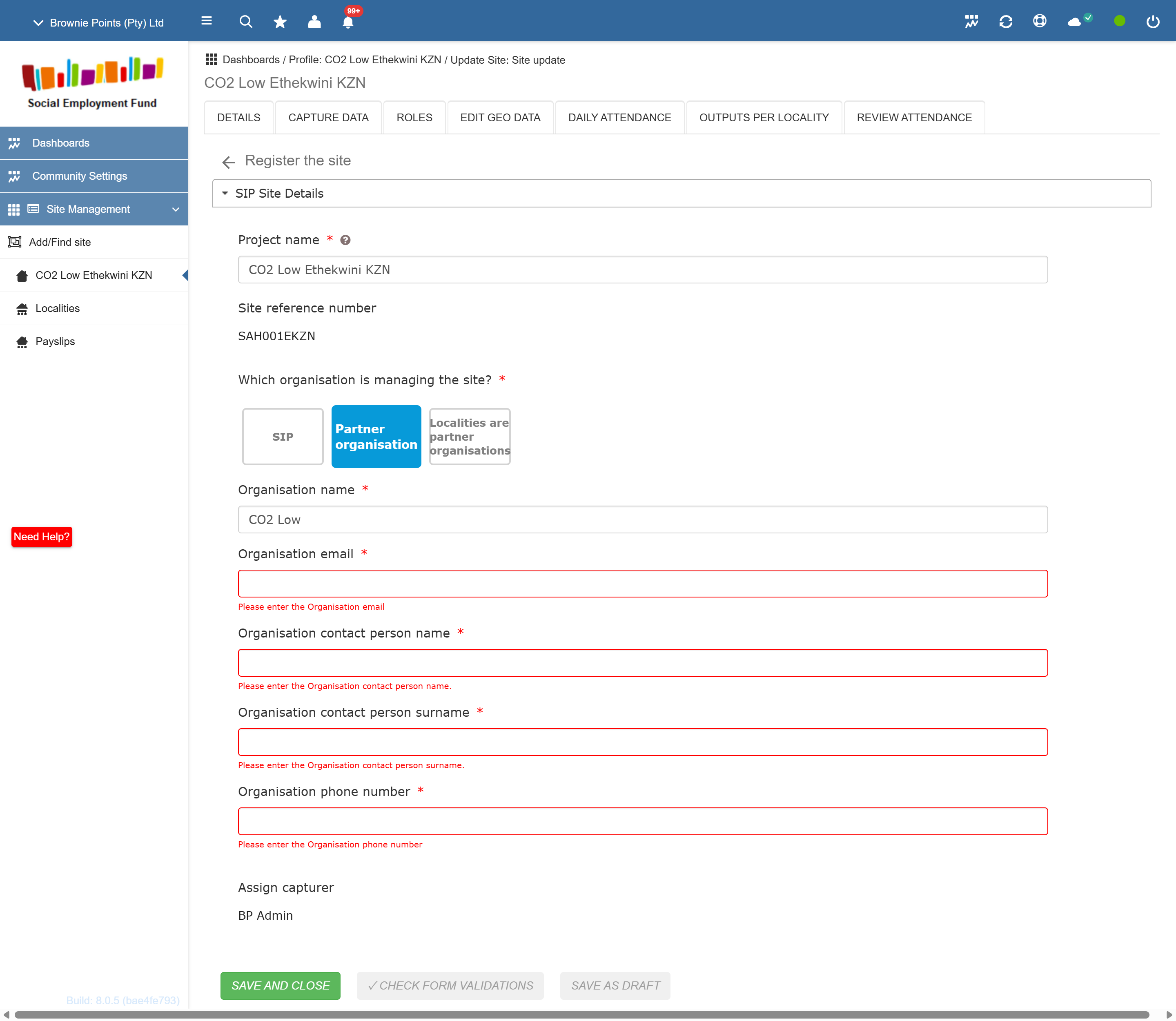
1. Check Sites, Localities and partners
Confirm which Sites and Localities are active and who manages them: your SIP or a partner. Where a partner manages the work, check its organisation name and contact’s first name, surname, email and mobile number.
2. Check Reporting Templates
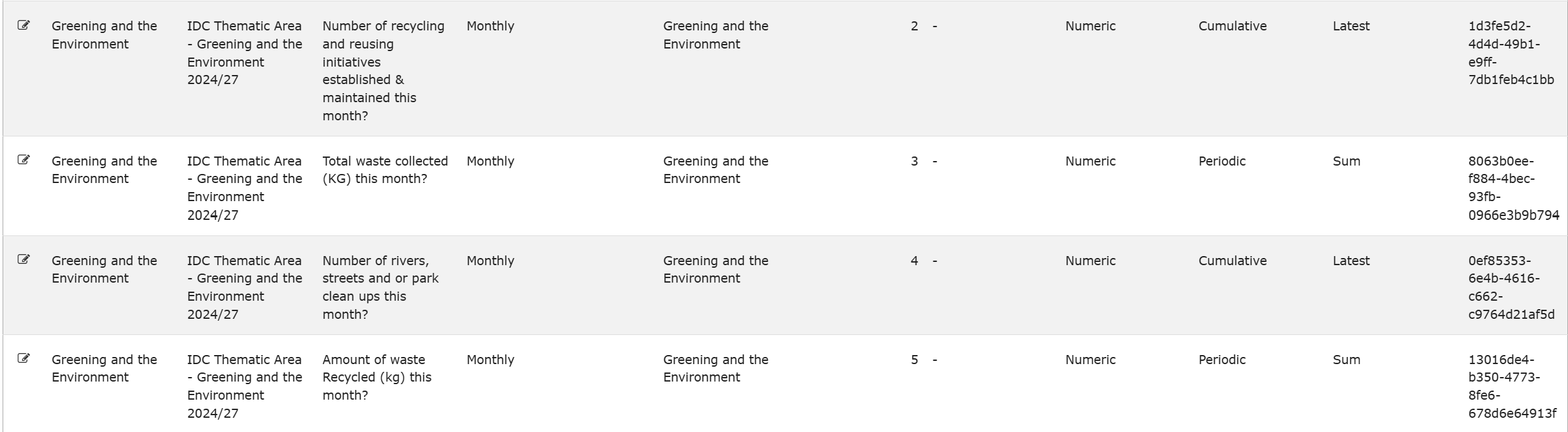
A Reporting Template is a checklist of indicators. Localities doing the same work can use the same template.
Check the template name, indicators, frequency (monthly or daily), question order, guidance and periodic or cumulative basis. Check validity dates too. Ask Brownie Points about missing or inconsistent dates; do not guess them.
3. Link each reporting Locality
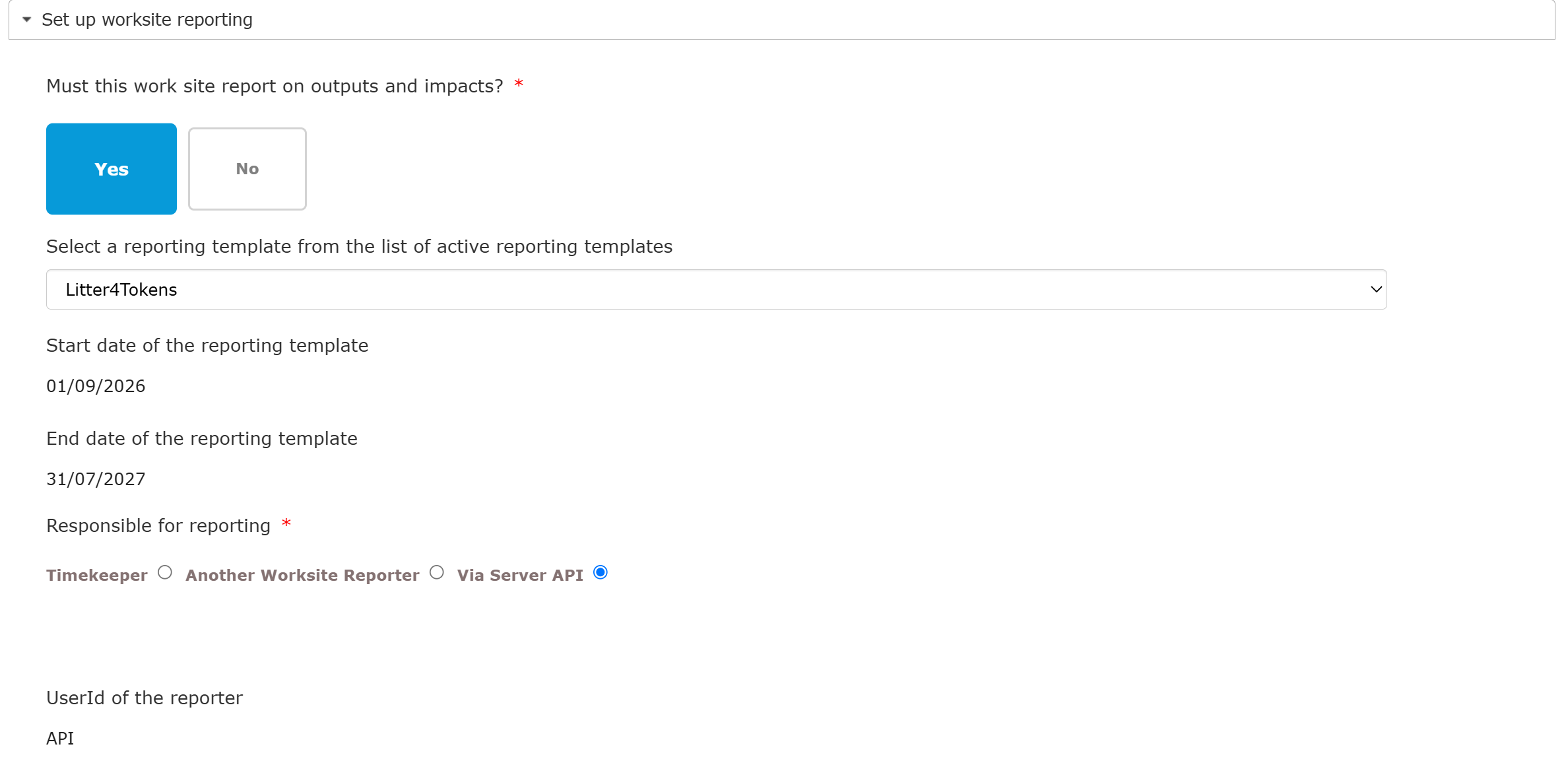
For each Locality that reports outputs, choose Yes for reporting outputs and impacts, select its template and choose Via Server API for the agreed QuickTrack route.
4. Export all three workbooks
Download fresh SITE01, API01 and API03 Excel files after saving your changes. All three are needed, including for SIPs that will upload monthly outputs by CSV.
Arrange the required Kwantu API access with Brownie Points and Kwantu/IDC through the agreed secure process. Never put a password in the wizard, a spreadsheet or a support ticket.
Official reporting remains in English. SIP- or Partner-level indicators outside Locality Reporting Templates may need separate entry in Kwantu; confirm this with Brownie Points.
Was this helpful?
Still need help? Ask the team